
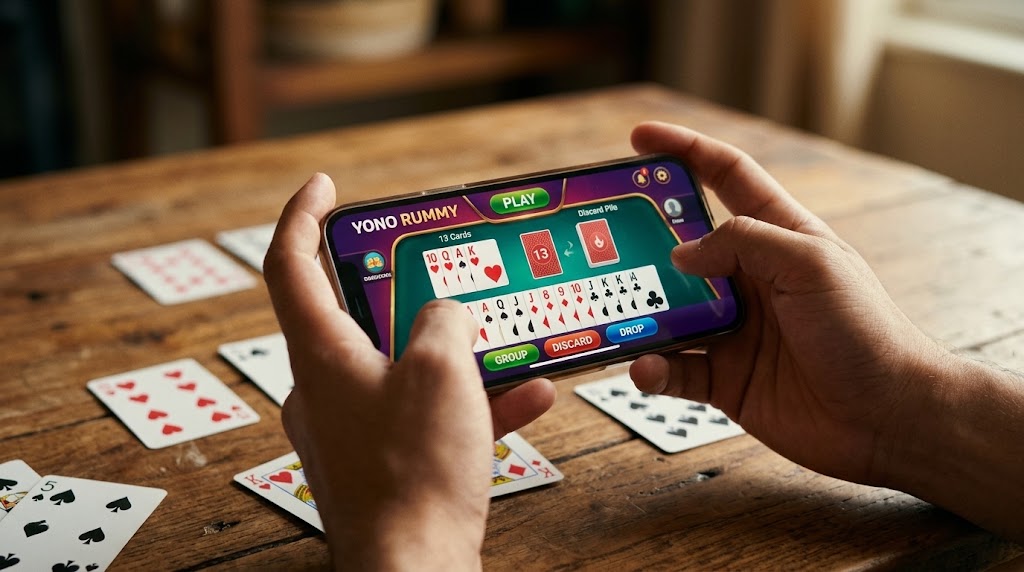
In our comprehensive Yono Rummy review, we will explore how this popular mobile application delivers the classic 13-card Indian Rummy experience to Android users. Over the past few years, digital card games have evolved rapidly. Consequently, players now expect fast matchmaking, stable servers, and intuitive touch controls.
Whether you are a seasoned card strategist or a complete beginner, understanding how the platform works is essential. Below, we break down the core game modes, technical requirements, fundamental rules, and practical tips to keep your app running smoothly.
Core Game Modes Available on the Platform
To appeal to different playstyles, the platform divides its lobbies into three traditional Indian Rummy formats. Each mode requires a slightly different approach to hand management and time commitment.
| Game Mode | Match Pace | Best Suited For | Key Mechanic |
| Points Rummy | Very Fast (1 Deal) | Quick sessions on the go | Winner takes all points at the end of a single round. |
| Pool Rummy | Medium to Long | Defensive, strategic players | Players are eliminated once their score hits 101 or 201 points. |
| Deals Rummy | Fixed Duration | Balanced, competitive play | Played over a set number of deals (usually 2 to 6) using fixed virtual chips. |
- Points Rummy: This is the fastest variant available. Because each game lasts only a single deal, you must meld your cards as quickly as possible.
- Pool Rummy: In contrast, Pool Rummy is a test of endurance. Your primary goal is to keep your penalty points as low as possible across multiple rounds until rival players cross the elimination threshold.
- Deals Rummy: If you prefer a structured match, Deals Rummy allocates a specific number of chips to each participant at the start. Ultimately, the player holding the most chips after the final deal claims victory.
App Performance and System Requirements
During our Yono Rummy review testing phase, we evaluated the client’s stability across various Android devices. Because the game relies on real-time multiplayer synchronization, having a stable network connection and an updated client is crucial.
Here are the minimum technical specifications needed for a lag-free experience:
- Operating System: Android 6.0 (Marshmallow) or higher.
- RAM: Minimum 2GB (3GB or more is recommended for multitasking).
- Storage Space: At least 150MB of free internal memory for installation and cache data.
- Network: Stable 4G LTE or Wi-Fi connection to prevent mid-game disconnections.
💡 Troubleshooting Tip: If you frequently experience loading screen freezes, frame drops, or login errors, you might be running an outdated build. You can visit our [official Rummy app hub and update page]to check the latest stable client versions optimized for modern Android systems.
Mastering 13-Card Indian Rummy Rules
Before jumping into competitive lobbies, every player must master the basic rules of 13-card Rummy. Unlike luck-based arcade games, Rummy is legally recognized as a game of skill. Therefore, knowing how to arrange your hand efficiently will drastically improve your win rate.
1. The Importance of a Pure Sequence
To make a valid declaration, your 13 cards must be organized into valid sets and sequences. Most importantly, the rules strictly require at least two sequences, one of which must be a Pure Sequence.
A Pure Sequence consists of three or more consecutive cards of the exact same suit (for example: 5♥, 6♥, 7♥) without using any Joker cards. Without a Pure Sequence, any declaration you make will result in an instant penalty.
2. Using Jokers Wisely
Once you secure your Pure Sequence, you can focus on building an Impure Sequence or valid Sets. Here, both Printed Jokers and Wild Card Jokers become your best friends. Use them to substitute missing cards and complete your remaining melds quickly.
3. Knowing When to Drop
Smart players do not force a bad hand. If your initial 13 cards lack any connected suits or Jokers, using the “First Drop” option saves you from losing maximum points. In Pool and Points modes, a strategic early drop is often the key to long-term success.
How Does It Compare to Other Mobile Card Platforms?
As noted in this Yono Rummy review, the app provides a very clean user interface and straightforward table navigation. Its lightweight design makes it accessible even for older budget smartphones.
However, different players have different preferences when it comes to table themes, tournament schedules, and UI layouts. If you want to compare various platforms side-by-side, feel free to explore our [complete guide to top-rated Indian Rummy applications] to find the exact features and table styles that suit your needs.
Frequently Asked Questions (FAQ)
Why is my Yono Rummy app not receiving the login OTP?
Network congestion or strict SMS spam filters on your phone usually cause OTP delays. First, wait 60 seconds before requesting a new code. Additionally, try toggling your phone’s Airplane Mode on and off to refresh your mobile network signal.
How can I fix lag or crashing issues during a match?
Over time, accumulated cache data can slow down the application. Go to your Android Settings > Apps > Yono Rummy > Storage, and tap Clear Cache. Furthermore, ensure you close heavy background apps before joining a live table.
Is Indian Rummy based on luck or skill?
13-card Indian Rummy is fundamentally a game of skill. While the initial card draw is randomized, winning consistently requires probability calculation, memory retention, tracking opponent discards, and strategic hand management.
Disclaimer: This article is for informational and educational purposes only. Traditional card games involving real-world stakes may be subject to regional laws and age restrictions (18+). Players in restricted jurisdictions (such as Andhra Pradesh, Assam, Nagaland, Odisha, Sikkim, and Telangana) should always verify and comply with local regulations and play responsibly.





Leave a Reply